 +353 87 474 2199
LDP Label
Data Platform
Turn fragmented industrial label printing into a single configured, fully traceable workflow. LDP brings BTW templates, data sources, print jobs, print logs, and branding together in one platform.
APPLICATION REVIEW
Let’s find the right solution together
Describe your equipment, labels or workflow. We will review the right inspection, printing, traceability or integration approach with you.
9+
Support for databases, files, APIs, manual entry, and composite data sources in one place.
4 Steps
A guided execution flow that helps operators preview, select, assign, and print.
Traceable
Every printed label can be traced, reviewed, and reprinted from its original snapshot.
Bilingual
Branding, language switching, and deployment options adapt to different customer environments.
Quick Overview
What is LDP?
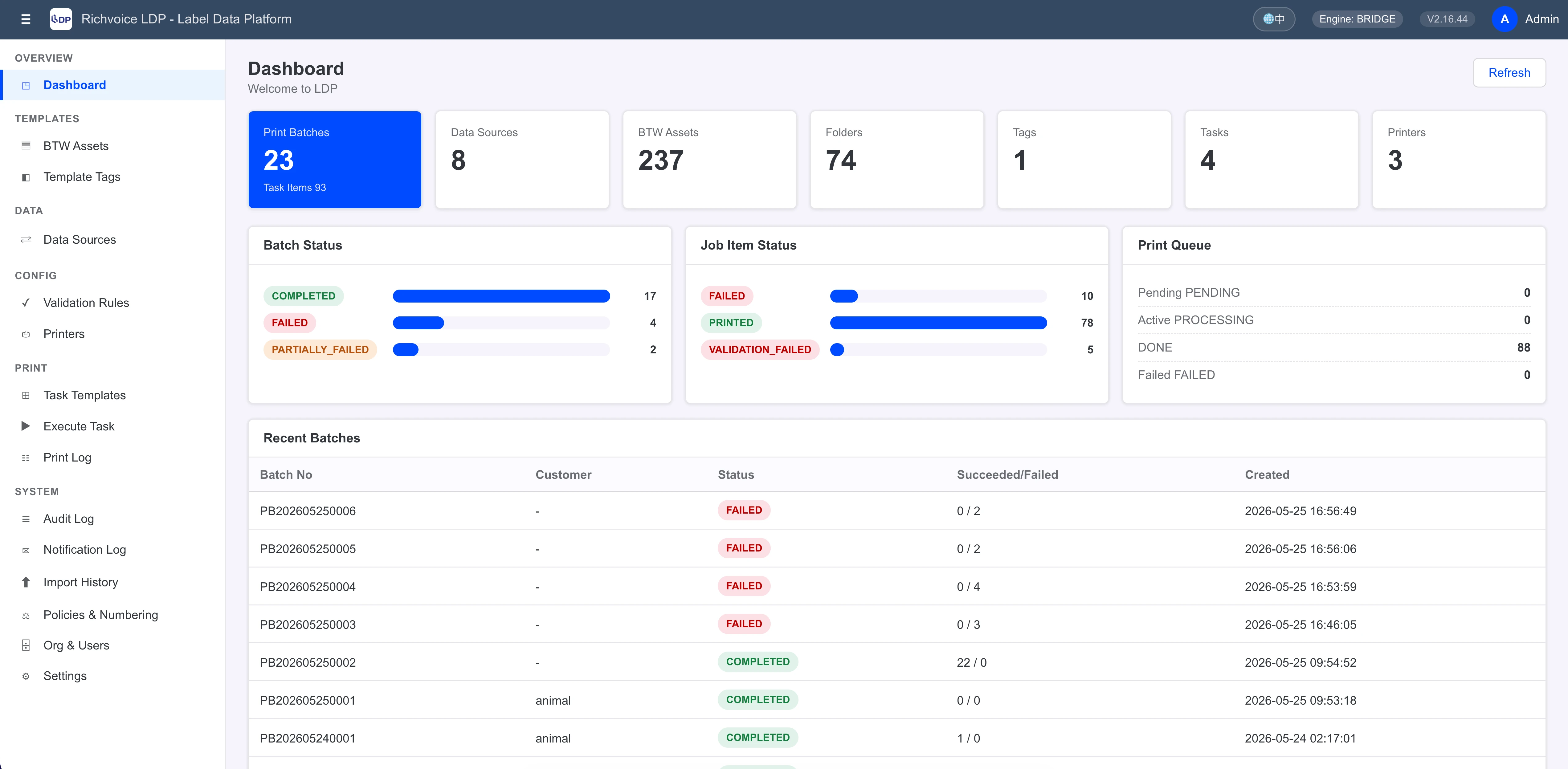
LDP is a label data platform built for industrial labeling workflows. It centralizes BTW templates, data sources, print jobs, printer assignment, print logs, and audit records so teams can run labeling operations with far more consistency and control.
- Upload BTW files and automatically identify fields, dimensions, and metadata.
- Build one print job template that can include multiple labels, data sources, and printers.
- Preview data, select rows, estimate output, and assign printers at run time.
- Keep print logs, snapshots, email notifications, and branding settings in one closed loop.
Business workflow
See how LDP connects setup, execution, and integration in one flow
This diagram shows how LDP links templates, print jobs, execution, platform services, storage, and external systems into one manageable workflow.
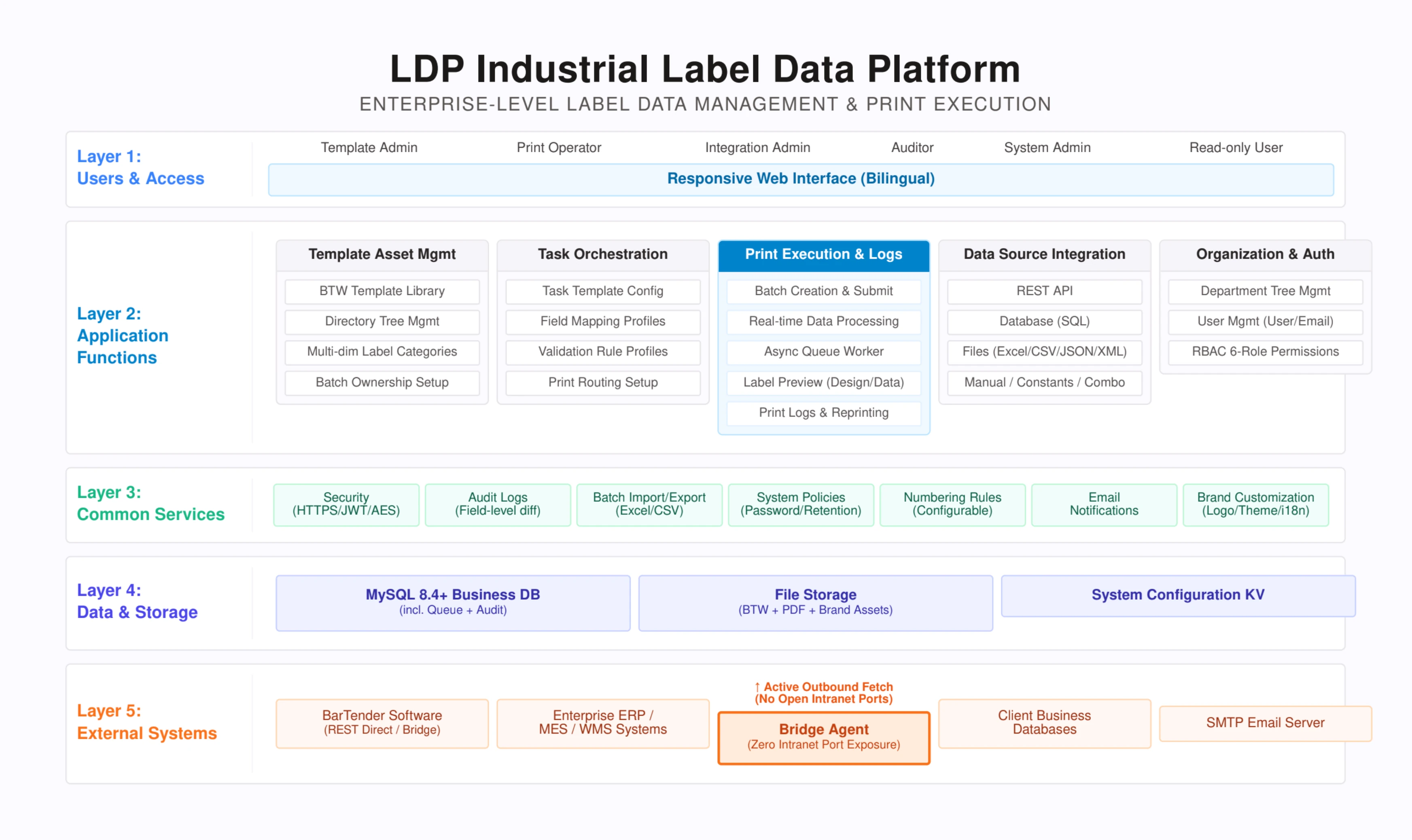
Covers user roles, job orchestration, print execution, platform services, storage, and external integrations.
Common Pain Points
Are these label printing challenges slowing your team down?
Scattered BTW templates and weak version control
It is common to see one BTW file per machine, copied repeatedly until nobody is sure which version is current. LDP introduces a central template library with integrity checks and reference validation.
Too many data sources and too much manual stitching
SAP, Excel, databases, APIs, and manual entry often live in separate workflows. LDP unifies them under one data source layer and supports composite sources for merged print-ready tables.
Print operations depend on memory, not process
When something goes wrong, teams often cannot answer who printed, when it was printed, how many labels were output, or which parameters were used. LDP records each batch and each label for faster investigation.
Complex deployment and inconsistent customer-facing branding
When BarTender sits inside the plant and business systems live elsewhere, deployment becomes difficult. LDP supports REST, bridge agent, and MOCK modes while also offering branding and language controls for customer delivery.
Core Capabilities
A complete label printing loop built around templates, data, jobs, and logs
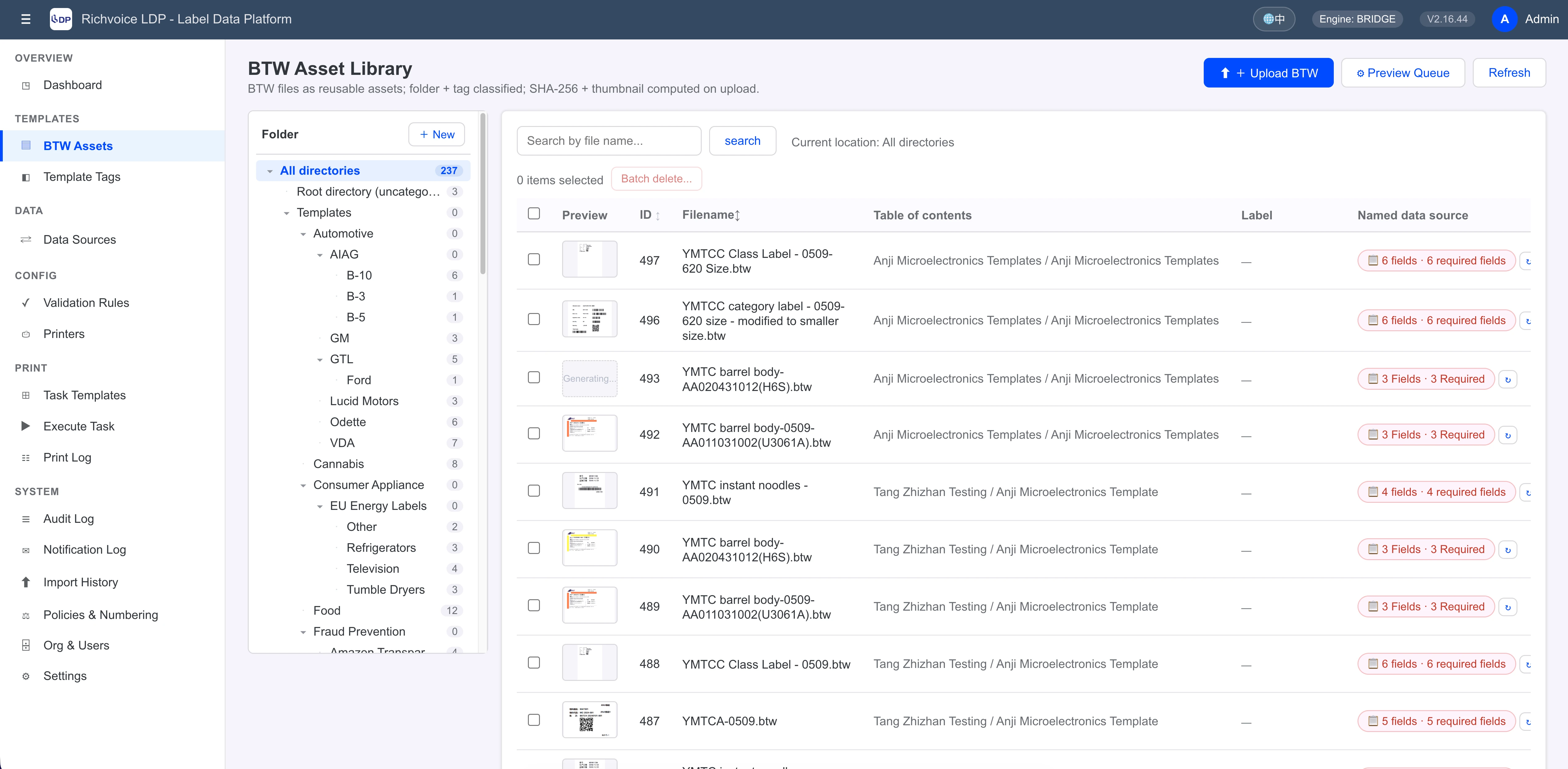
BTW Template Library
Managing scattered .btw files is the first problem LDP solves. Once uploaded, the platform automatically identifies named data source fields, label dimensions, and file metadata to standardize template assets from the start.
- Use folder trees and multi-dimensional tags so one template can be classified by customer, ERP, line, and more.
- Generate thumbnails automatically for faster browsing and visual confirmation.
- Check references before deletion to prevent broken jobs caused by accidental removal.
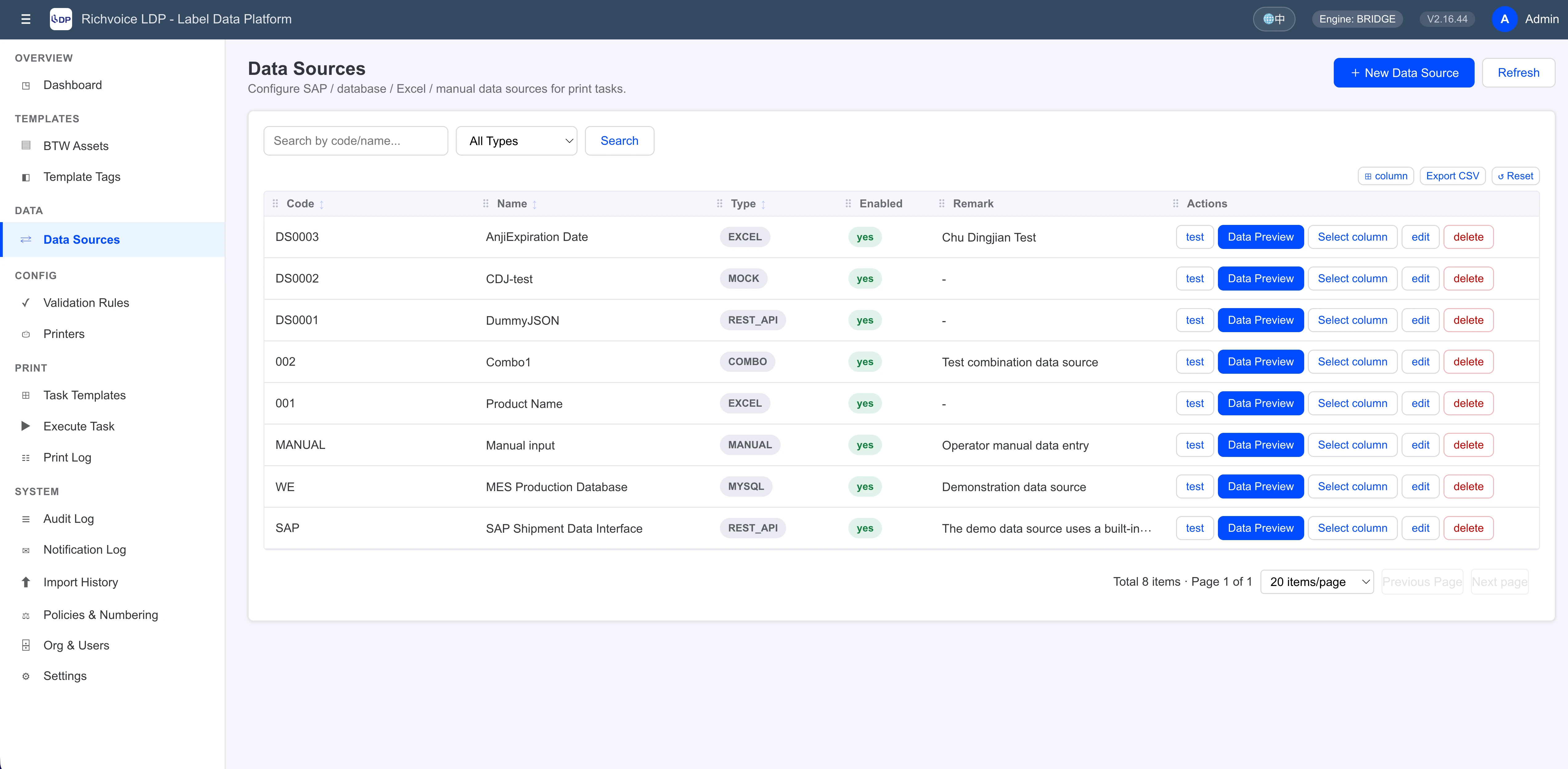
9+ Data Sources and Composite Data Sources
Databases, files, APIs, and manual entry can all be managed in one place. When a single label needs business data from several systems, LDP can combine multiple sources horizontally into one print-ready dataset.
- Support MySQL, MariaDB, PostgreSQL, SQL Server, Azure SQL, and REST APIs.
- Support CSV, TXT, Excel, JSON, XML, manual input, constant values, and mock data.
- Preview data before execution so operators can verify columns, sorting, pagination, and query results.
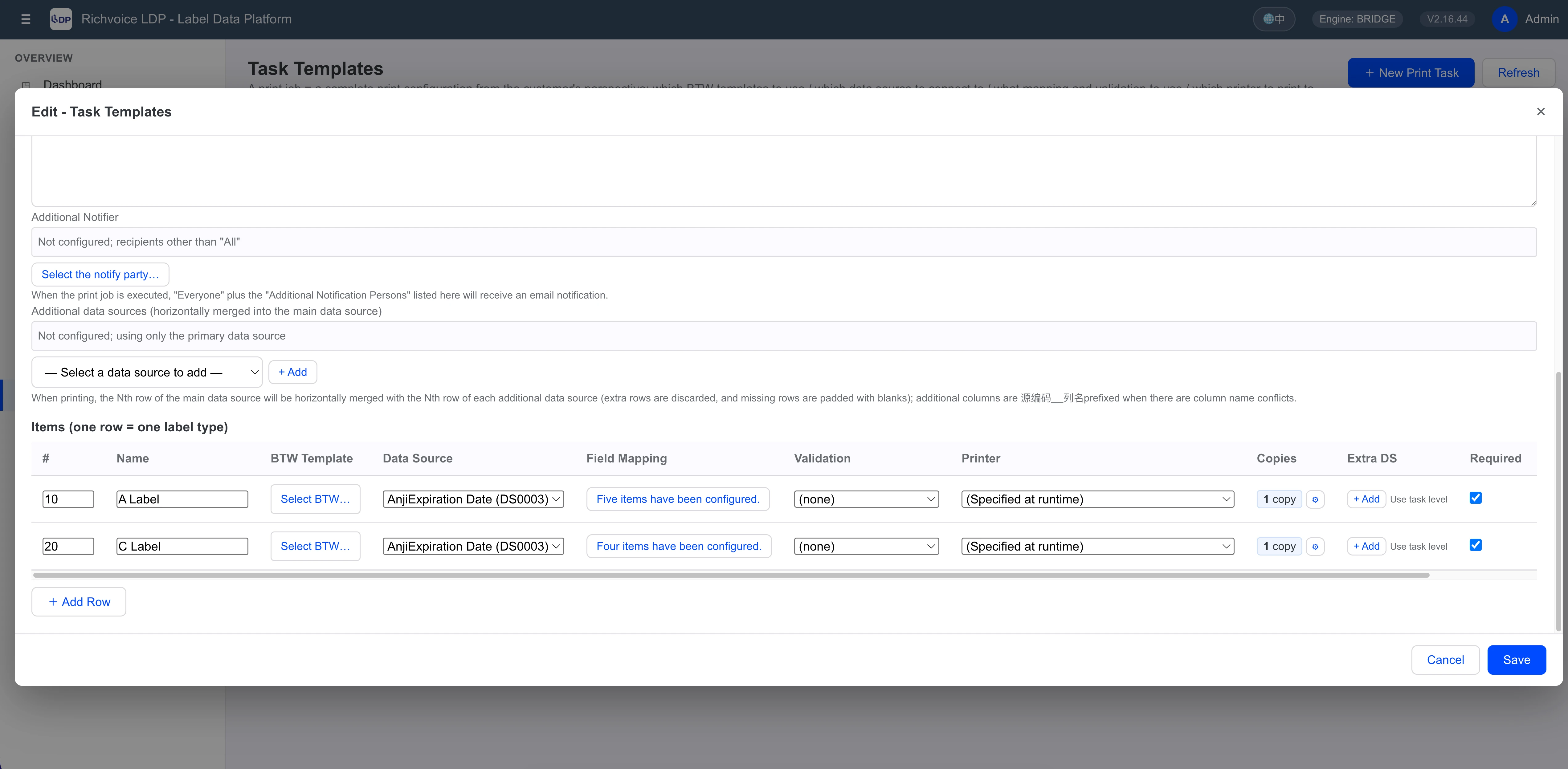
Print Job Templates
A print job template is a complete printing configuration. It defines which labels are used, which data sources and printers are assigned, and how fields, quantities, validation rules, and notifications should behave.
- Each line can bind its own data source and printer or inherit the job-level default.
- Support fixed quantities, field-based quantities, and expression-driven quantity rules.
- Notify multiple recipients so business teams, operators, and managers stay aligned.
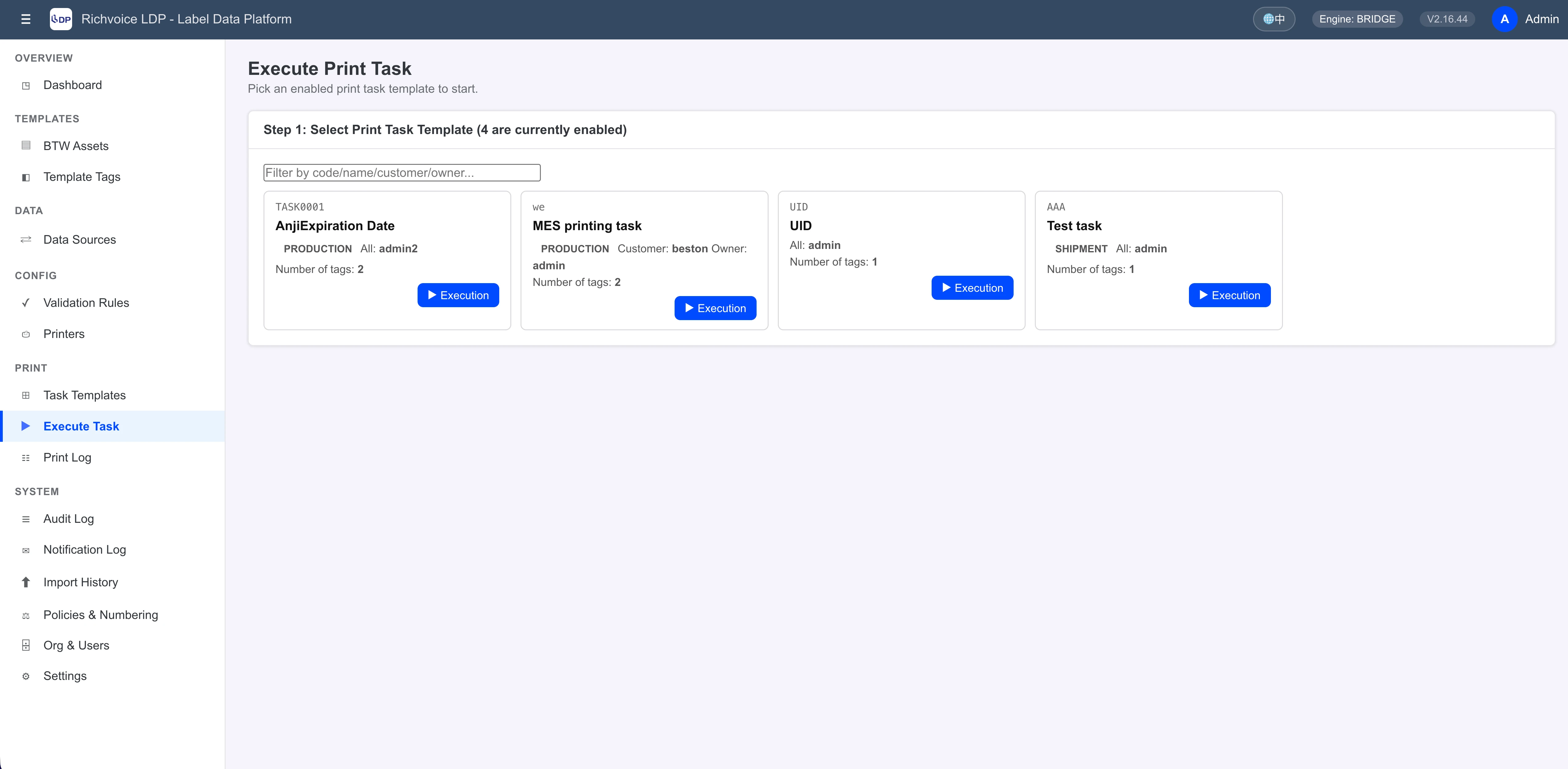
4-Step Guided Print Execution
LDP turns complex print operations into a guided process. Operators can choose a template, confirm data, assign printers, check the estimated output, and start printing with much less room for error.
- Preview sample data and select only the rows that should be printed in the current batch.
- Switch MANUAL data sources into on-site input forms for operator-friendly field entry.
- Estimate label counts before execution to help teams confirm output and consumable demand.
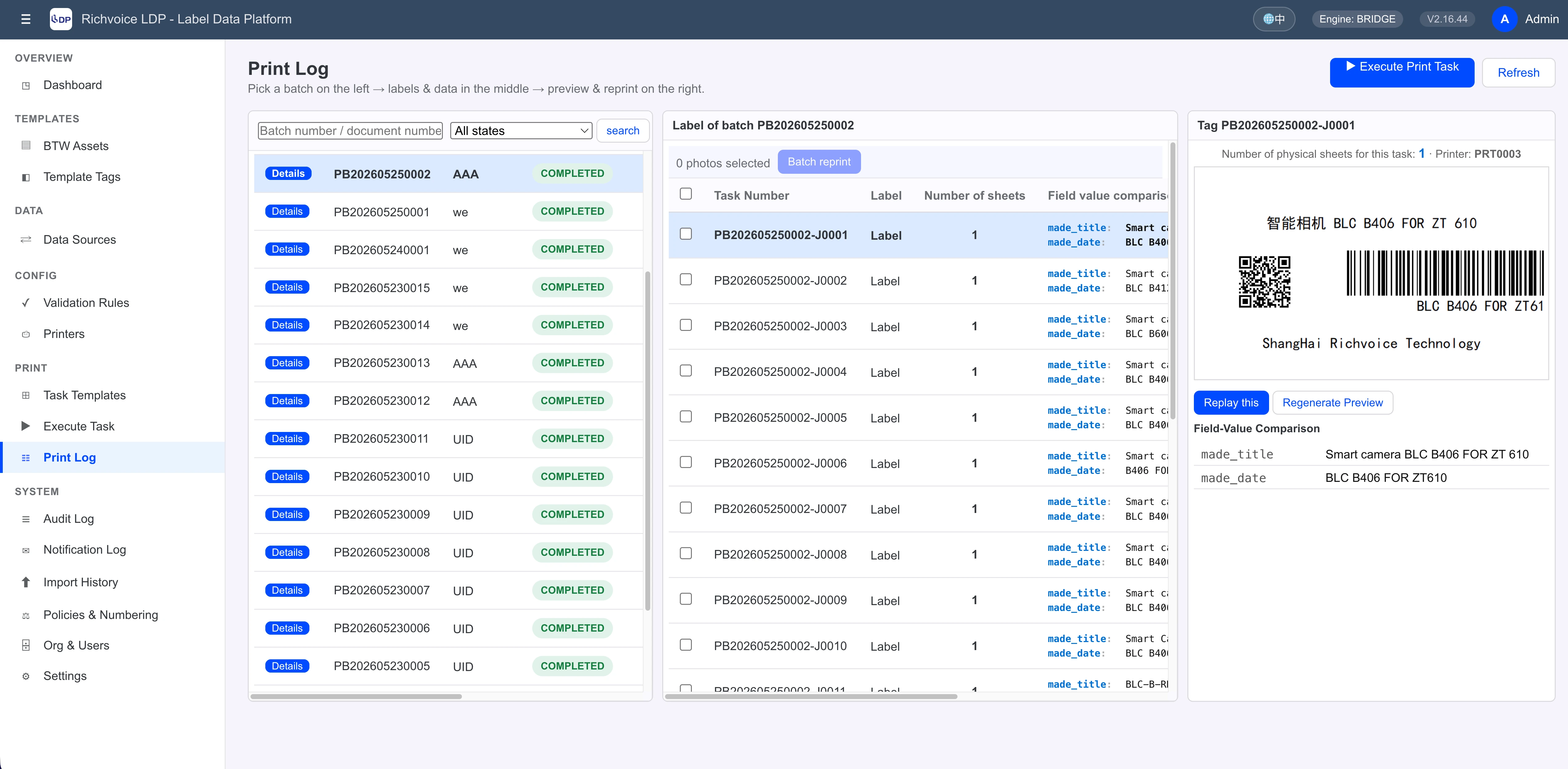
Print Logs, Snapshots, and Reprint
LDP does more than record a finished status. It preserves variable values, template paths, timestamps, and print snapshots for each label so organizations can rebuild and audit each batch with confidence.
- Review execution results by batch and by label, including job line counts and actual printed label quantities.
- Reprint a single label, a selected group, or a full batch from the original snapshot.
- Support virtual PDF printers for demos, validation, and no-hardware environments.
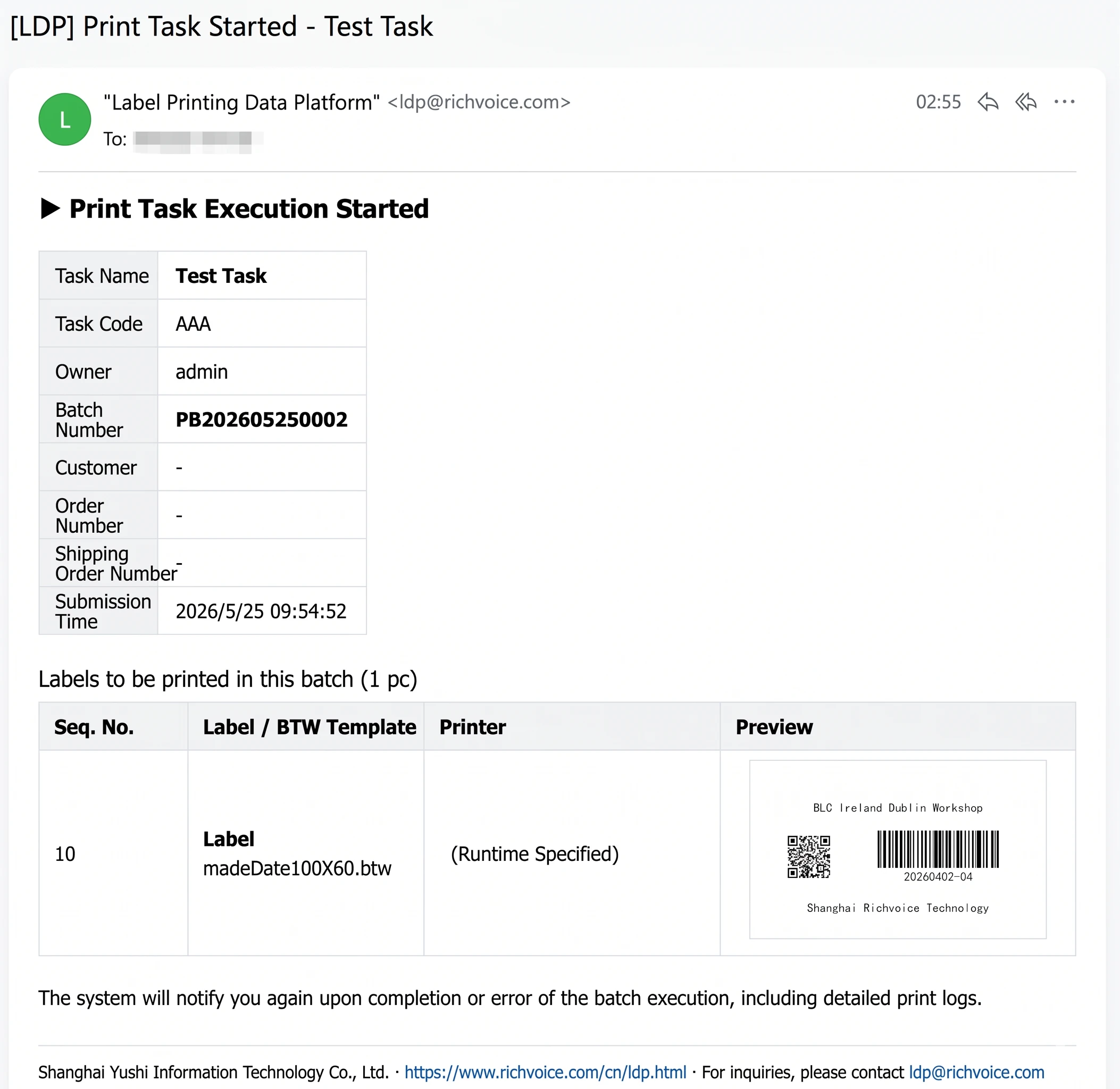
Email Notifications and Remote Coordination
LDP can proactively send critical print information to stakeholders. Even when teams are away from the system, they can still see when a task starts, when it ends, what failed, and what the batch actually contained.
- Start notifications can include batch summaries and label preview images for remote confirmation.
- Completion emails can include full print log details, statuses, failure reasons, and timestamps.
- Recipients can include job owners and additional contacts for cross-team coordination and escalation.
Branding and Multi-language Support
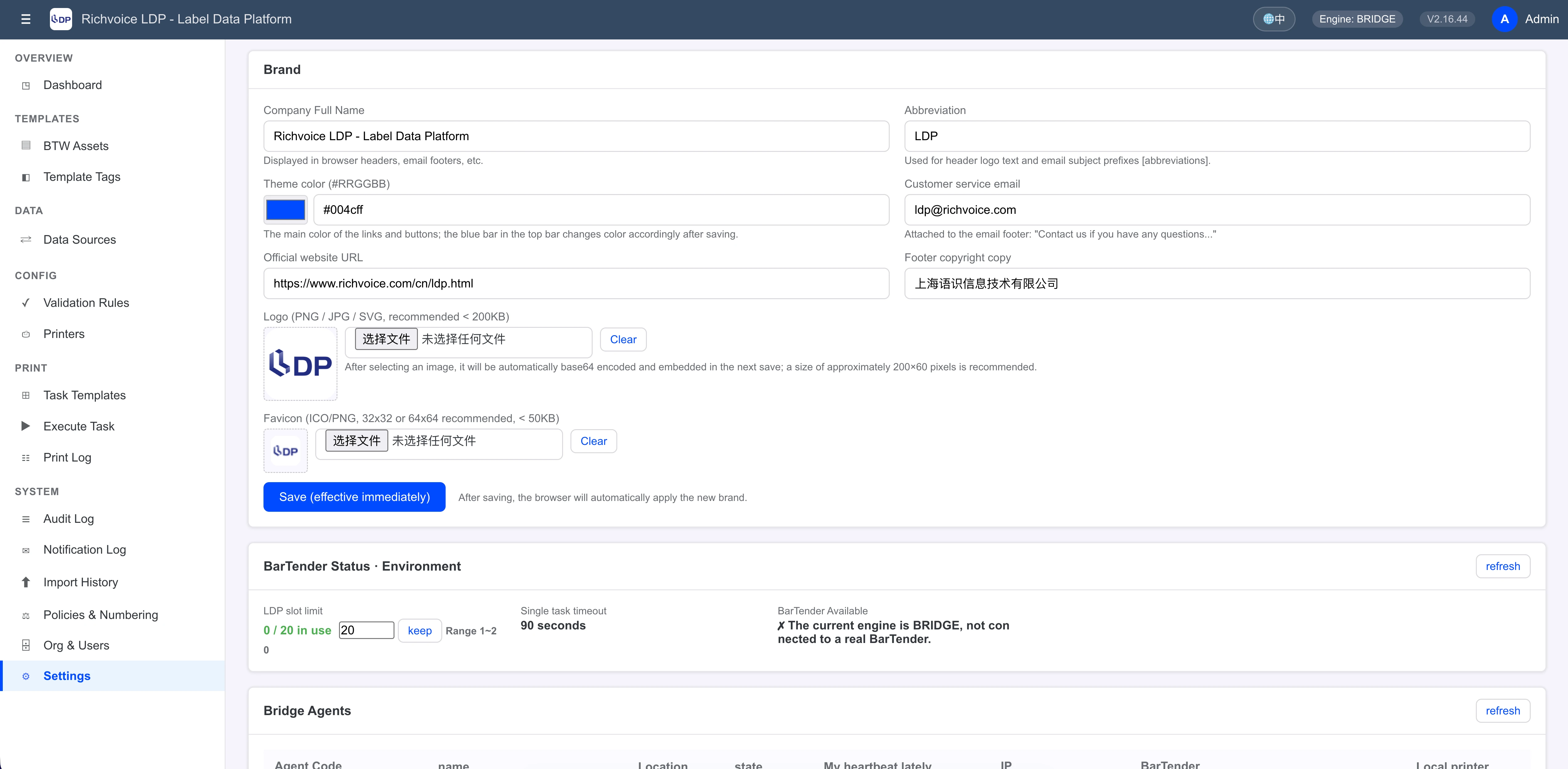
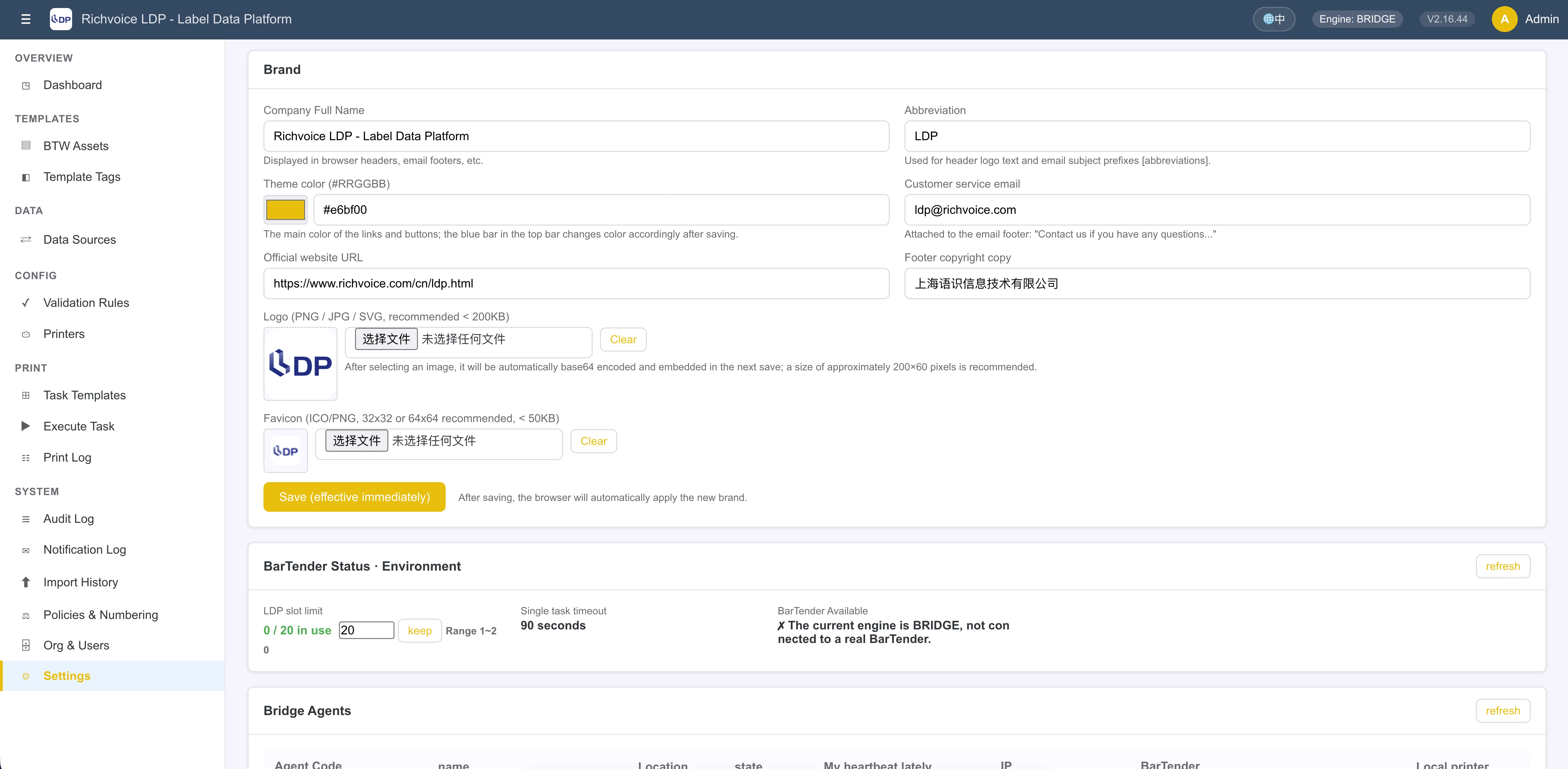
LDP is not only an internal tool. It can also be delivered under your own company brand to customers, subsidiaries, or plants. Company name, logo, favicon, theme color, support email, and footer information can all be managed centrally, with built-in language switching.
- Apply updates immediately to simplify customer delivery and branding changes.
- Manage logos, icons, and theme colors consistently across branded deployments.
- Persist language preferences for international teams and customer-facing environments.
Deployment Modes
From local demos to public SaaS and private on-site printing
MOCK Mode
Ideal for demos, validation, and proof-of-concept projects when no real BarTender environment is available.
REST Mode
Best when the LDP service and BarTender are on the same machine or network segment and can connect directly through REST APIs.
BRIDGE Mode
Designed for public LDP deployments with private BarTender instances inside the plant, using an active bridge agent instead of exposing internal services.
Multi-Agent Routing
Support multiple on-site BarTender nodes routed by agent_code. Each printer can be bound to one agent without complicated network planning.
Platform Coverage
Deploy on Linux, develop on Windows, connect to MySQL or MariaDB, and run from modern browsers while integrating with BarTender Automation Edition and above.
Technical Highlights
Fast to deploy, lightweight to maintain, practical to extend
Pure JavaScript
No backend compilation and no frontend build pipeline for everyday maintenance tasks.
Minimal Dependencies
A lean dependency set keeps deployment simpler and avoids heavy native module requirements.
Dual DB Compatibility
Use MySQL in production and MariaDB in development without changing the operating model.
Complete Auditability
Track logins, configuration changes, template uploads, print batches, and reprint activity.
Authentication and Encryption
Use JWT, role permissions, and encrypted sensitive fields to reduce operational risk.
Snapshot-Based Rebuilds
Archive each print dataset and template reference so reprints can be reproduced from the original run.
Typical Scenarios
Built for manufacturing, warehousing, and distributed print environments
Electronics Manufacturing
Manage multiple production lines, multiple template types, and multiple printers while pulling live data from MES systems and keeping managers informed through notifications.
Warehouse and Logistics
Use one job template for shipping labels, inner carton labels, and pallet labels, with composite data sources and row-level selection for flexible execution.
Public SaaS with Private Printing
Run one centralized LDP deployment while each plant executes printing locally through bridge agents, balancing control, security, and on-site responsiveness.